
Loading Images...
-
: : : : :
-
5x7" Invitation - Customize!
-
Customize Online - Instantly!
-
4x6" Sign
-
8x10" Sign
-
8x10" Sign
-
8x10" Sign
-
Banner - Decor
-
Chair Banner
-
2" Party Circles
-
Silhouettes - Bees
-
Tent Card Pink - Customize!
-
Tent Card Pink - Customize!
-
Silhouettes - Hunny Labels
-
Silhouettes - Scroll Banners
-
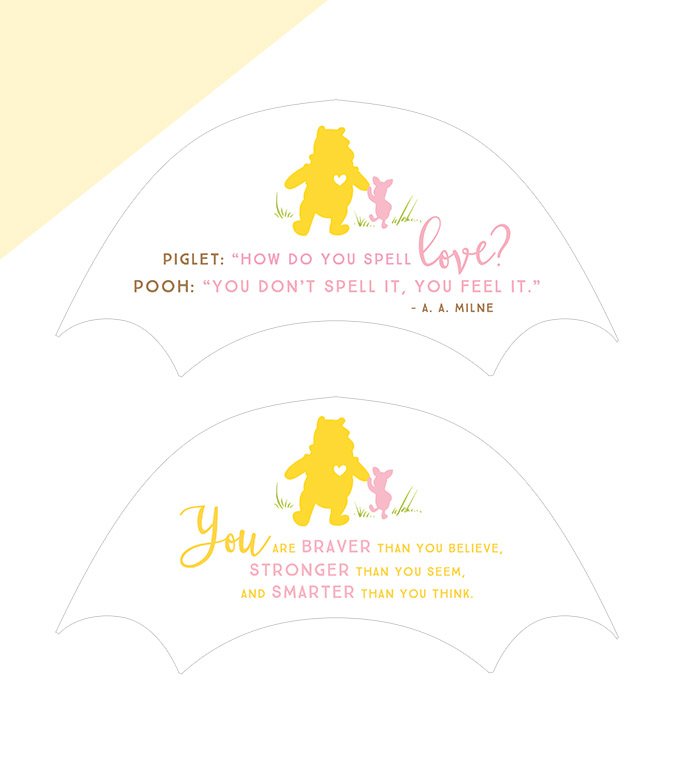
Silhouettes - Umbrella Tops
-
Square Plate Liners
-
Use JPG format to send digitally!
-
Designs In Use (Red colorway)
-
Designs In Use (Red colorway)
Pooh Bear (Pink)
Baby Shower Theme
(plus ALL of my other Freebie Designs!).
Already a Member? | Sign Up Now for Free
This Winnie the Pooh Baby Shower collection is absolutely FREE, courtesy of our brand collaboration with Disney Baby! To see this collection in use (in the Classic Red colorway), please click here.
- Invitation Try It Out!
- Banner - Decor Download
- Chair Banner Download
- Party Circles Download
- Party/Quote Signs Download
- Plate Liners Download
- Silhouettes - Umbrella Tops Download
- Silhouettes - Various Designs Download
- Tent Cards Try It Out!
Note: For the best experience, please use a desktop computer or tablet when customizing designs.
• Digital download (no physical items shipped)
• Print at home or through a print shop
• Use as many or as few pieces as you like
You don’t need to use every piece to create a beautiful celebration! Each item works on its own — and even better together.
How do I access my purchased designs?
Once you’re logged in with the email you used to purchase, everything unlocks right here on the product page! Pink buttons will change to “Customize,” and blue download buttons will become active. You may need to refresh the page once.
***
How long do I have access to my purchased designs?
You’ll be able to access your purchases anytime, 24/7 — as long as the shop is active.
***
Can I save my design and finish it later?
At this time, designs can’t be saved as works in progress, so we recommend completing your edits and downloading them in one session.
***
Where will my downloaded files be saved?
On a desktop computer, files usually download to your Downloads folder or Desktop. On mobile or tablet, they’ll be saved in your device’s Files folder.
***
What paper do you recommend for printing?
For best results, we recommend matte paper or cardstock (avoid glossy).